
Revit Templates
Practiced BIM Revit templates are designed to help you build high-quality, well-organized projects. Each template comes with organized (but flexible) workflows, families and templates included so you can work get started immediately.
All templates include:
Versions for Revit 24-26
Practiced shared parameter file
A downloadable library of included families
E-mail support*
*Basic support for template materials and functions only. Responses may take up to 48 hours. For faster response times or more complex problem solving, please contact hello@practiced.co to discuss additional on demand options.
![Revit Template [Imperial]](https://images.squarespace-cdn.com/content/v1/68cb5eedcbb28835908a2d0c/6c95ca46-e6f1-4f58-9038-85aaf4b41b98/Mockup150pp.png)
![Revit Template PRO [Imperial]](https://images.squarespace-cdn.com/content/v1/68cb5eedcbb28835908a2d0c/18b7a433-e395-43b7-946d-2aa073b39195/Mockup+Pro150pp.png)
Standard Features
Built In Organization
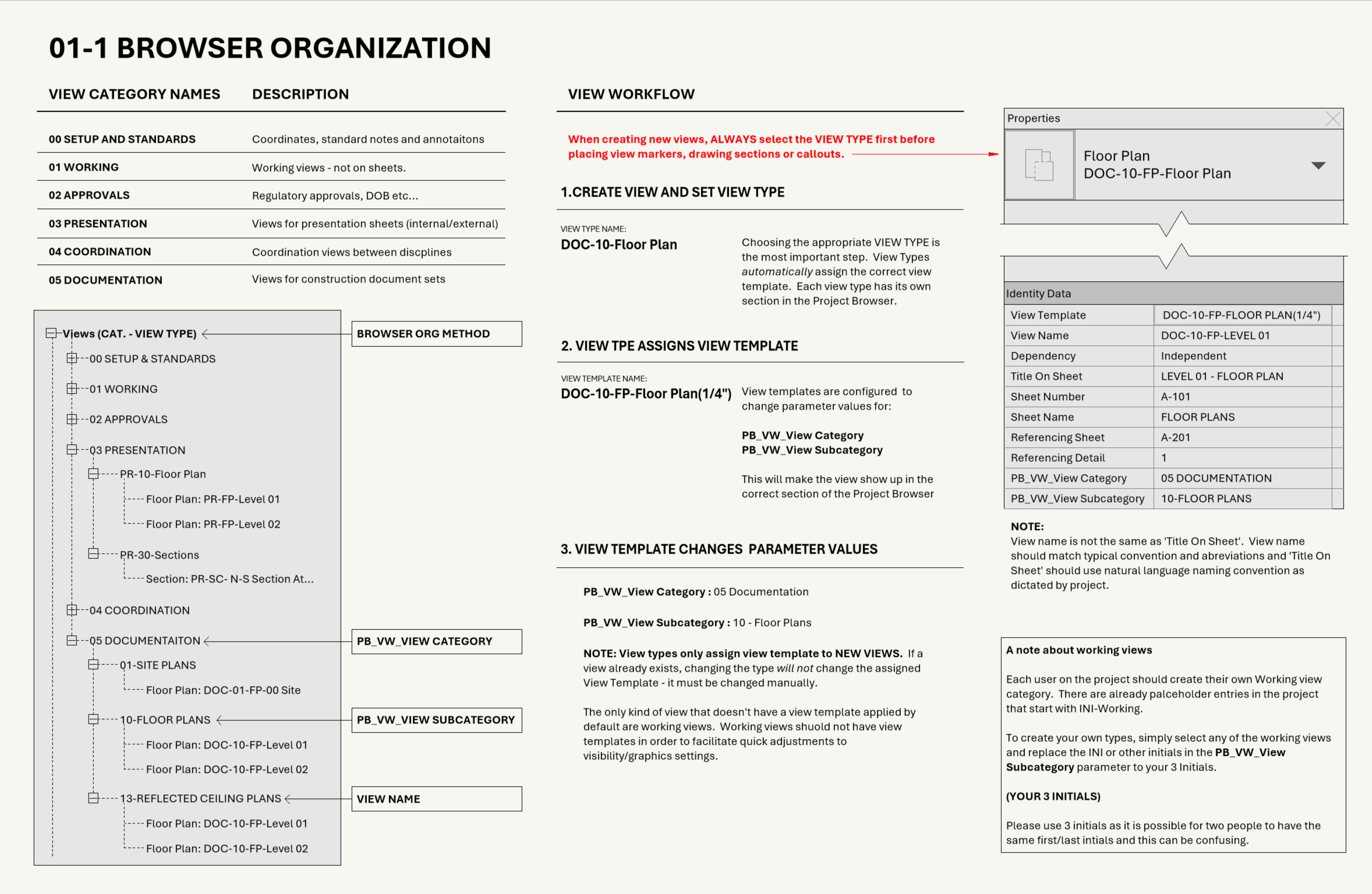
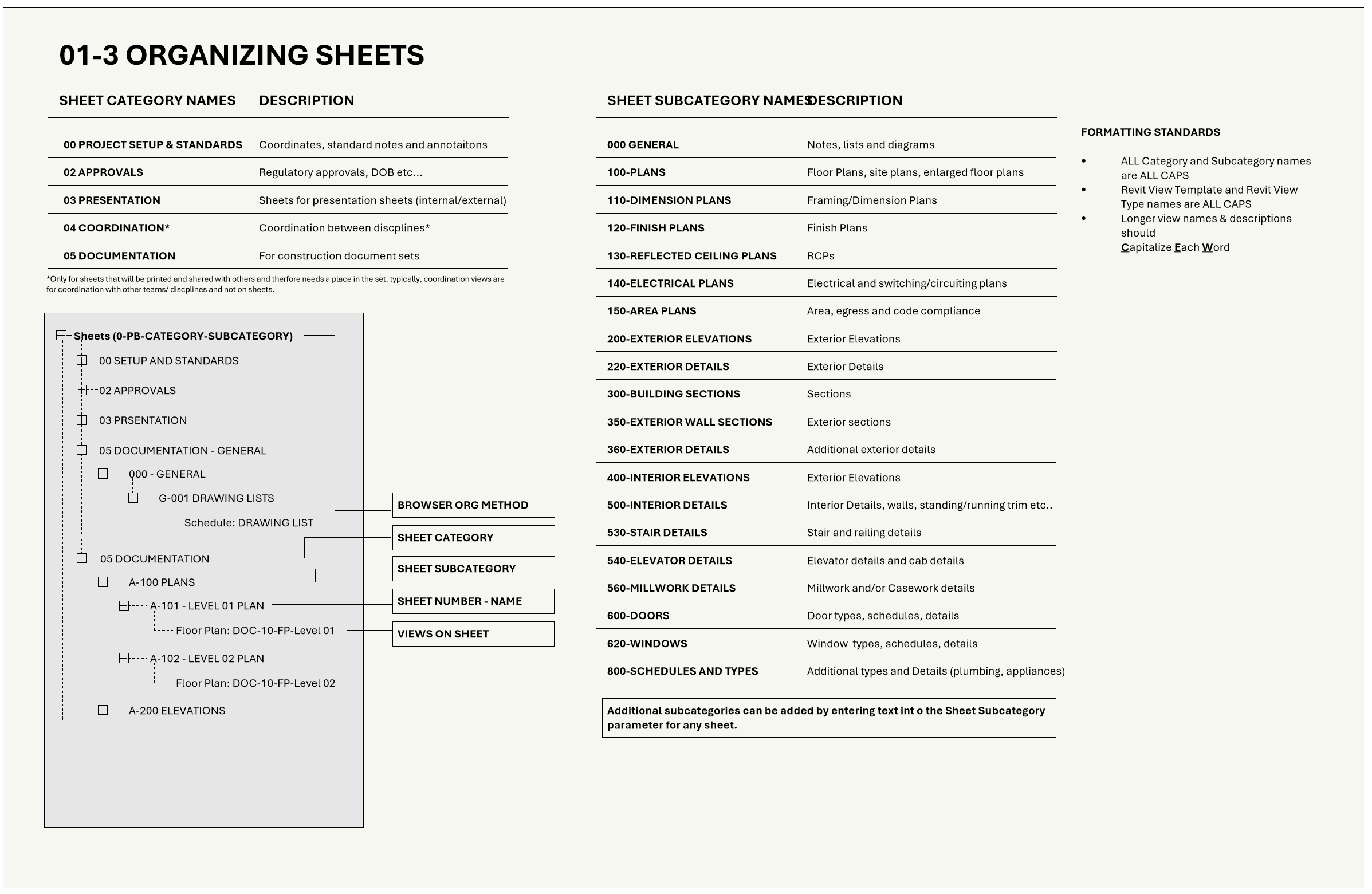
Because everyone knows it’s easier for a project to stay organized if it starts out that way, all templates include a structured browser organization and naming convention for views, sheets and schedules.
The template is designed to make it easy to stay organized by using view types to assign view templates and view templates to fill in custom View Category and Subcategory parameters ensuring that new views always wind up in the right spot in the project browser.
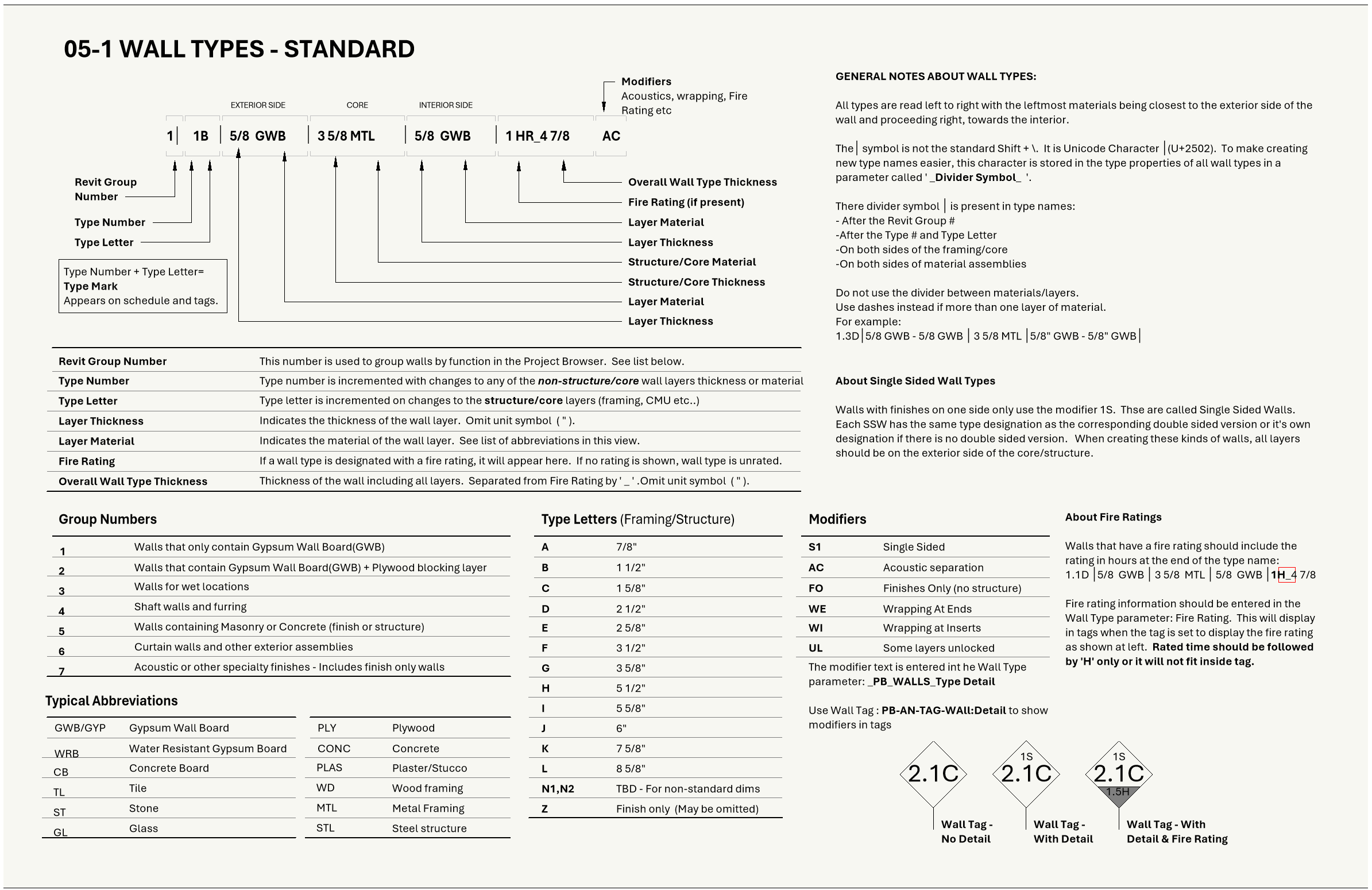
All versions of the template also include handy guides and documentation views directly in the project so you don’t have to leave Revit to verify standards or make updates.
And a number of pre-populated views and sheets make it easy to follow along and create and organize your own views and sheets.
Standardized Annotations, Text & Graphics
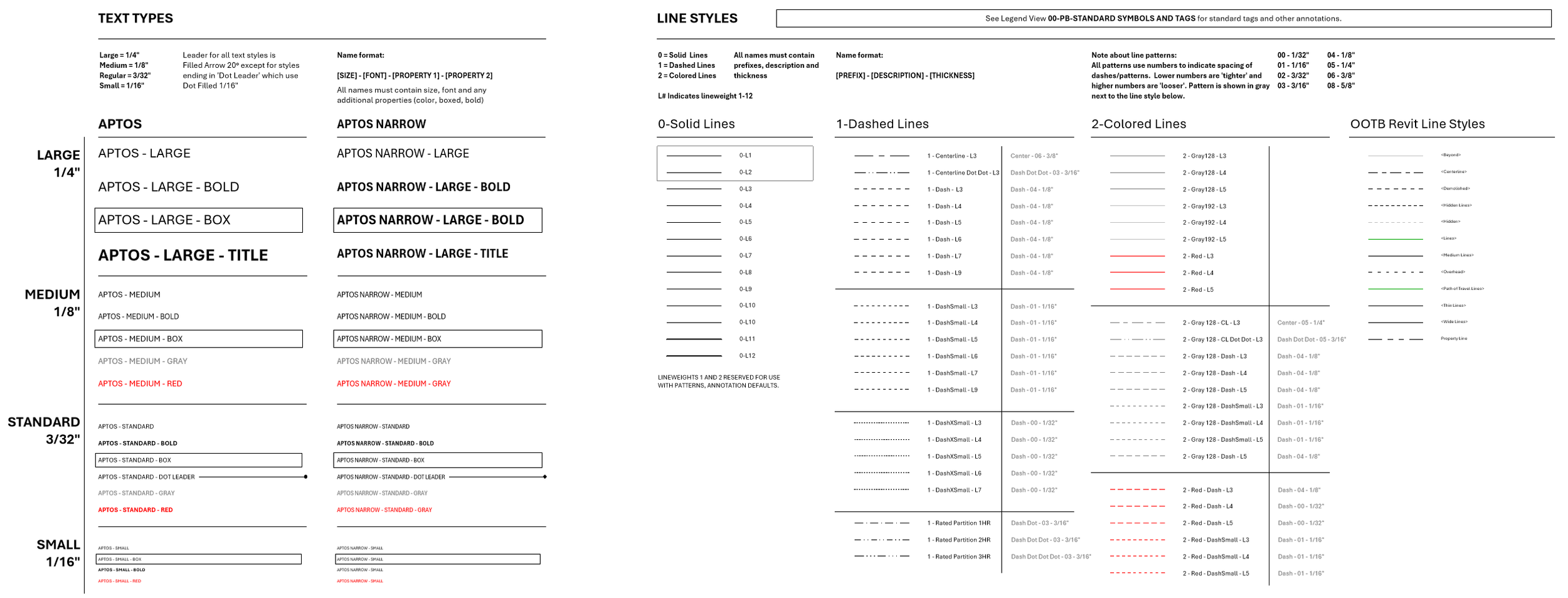
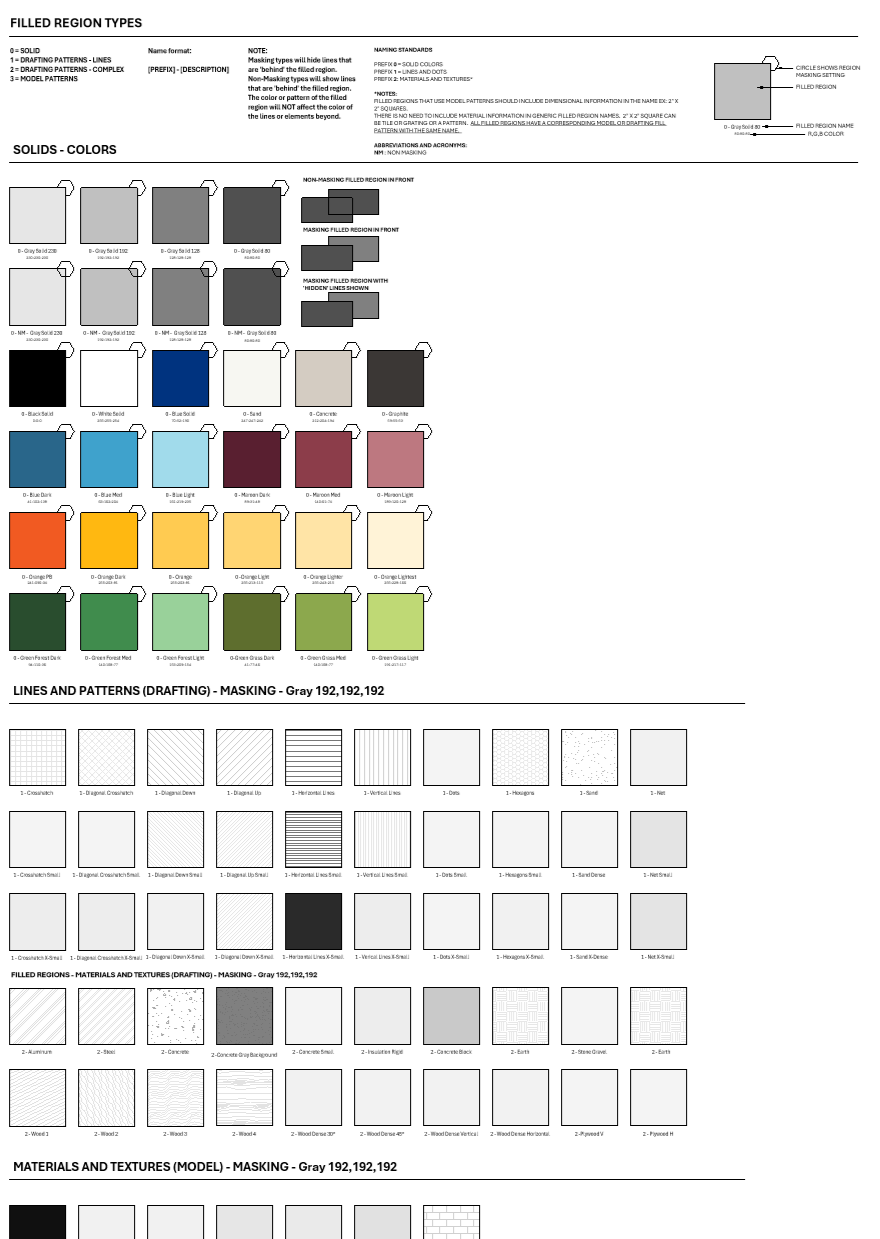
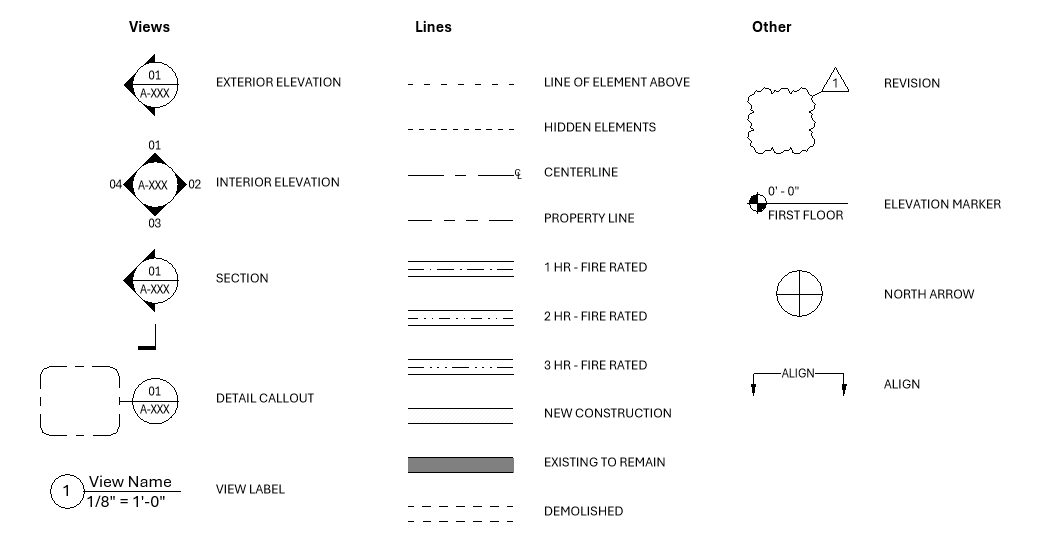
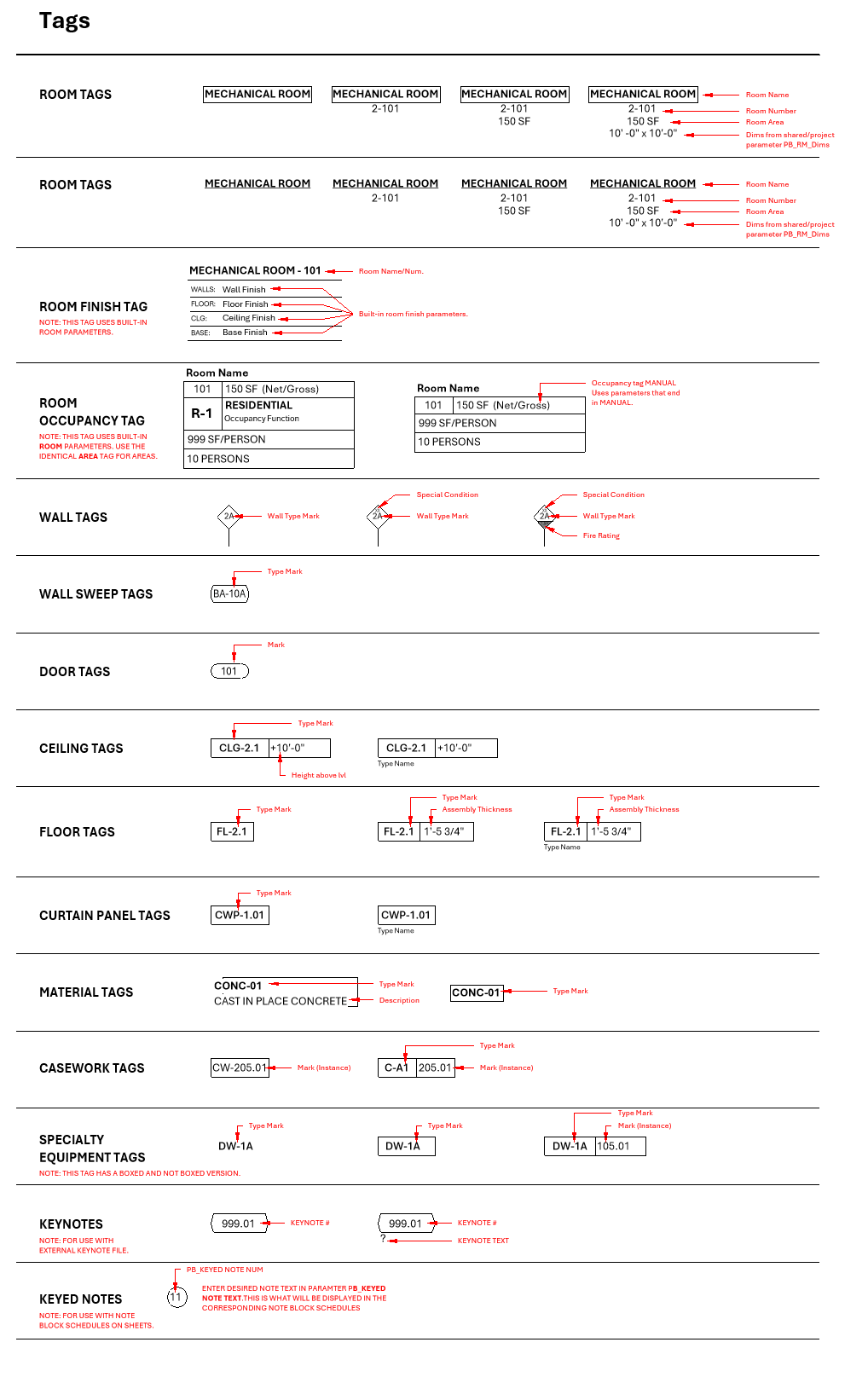
Keep all your drawings consistent with a whole library of standard annotations, tags, line styles and annotation assets. All templates include a well organized collection of annotation elements so you can document your design quickly and easily instead of hunting for more line styles or tags. And drafting views/legends let you see the whole collection before making changes and lets you store and oragnize any custom elements so you don’t have to go hunting for a line style or filled region.
-
![]()
Lines And Styles
-
![]()
Fill Patterns
-
![]()
Symbols and Legends
-
![]()
Tags and Annotations
Keynote & Note Options
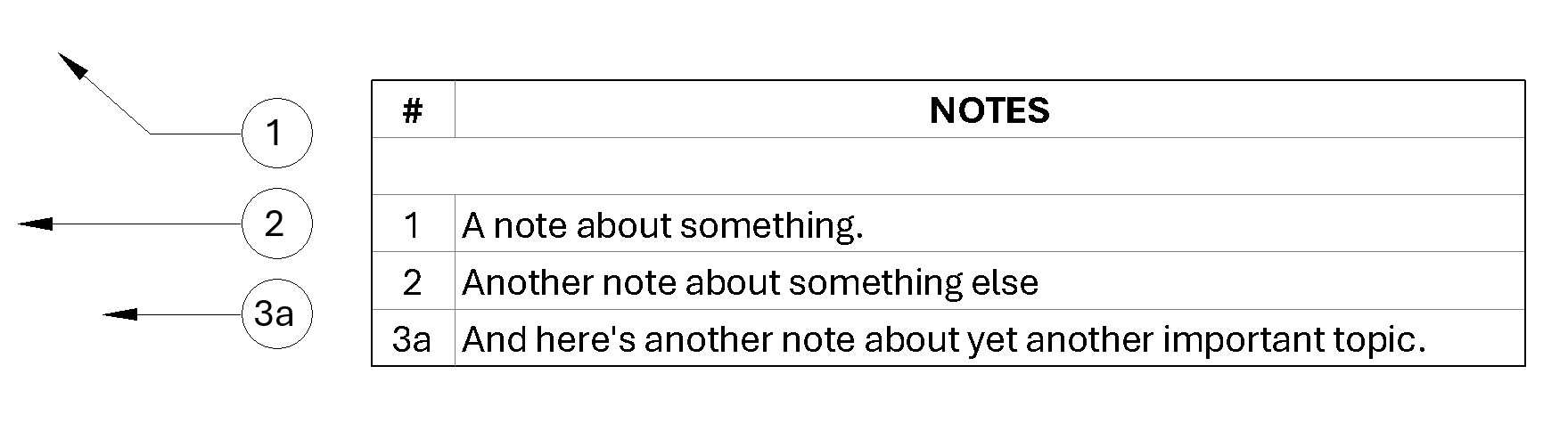
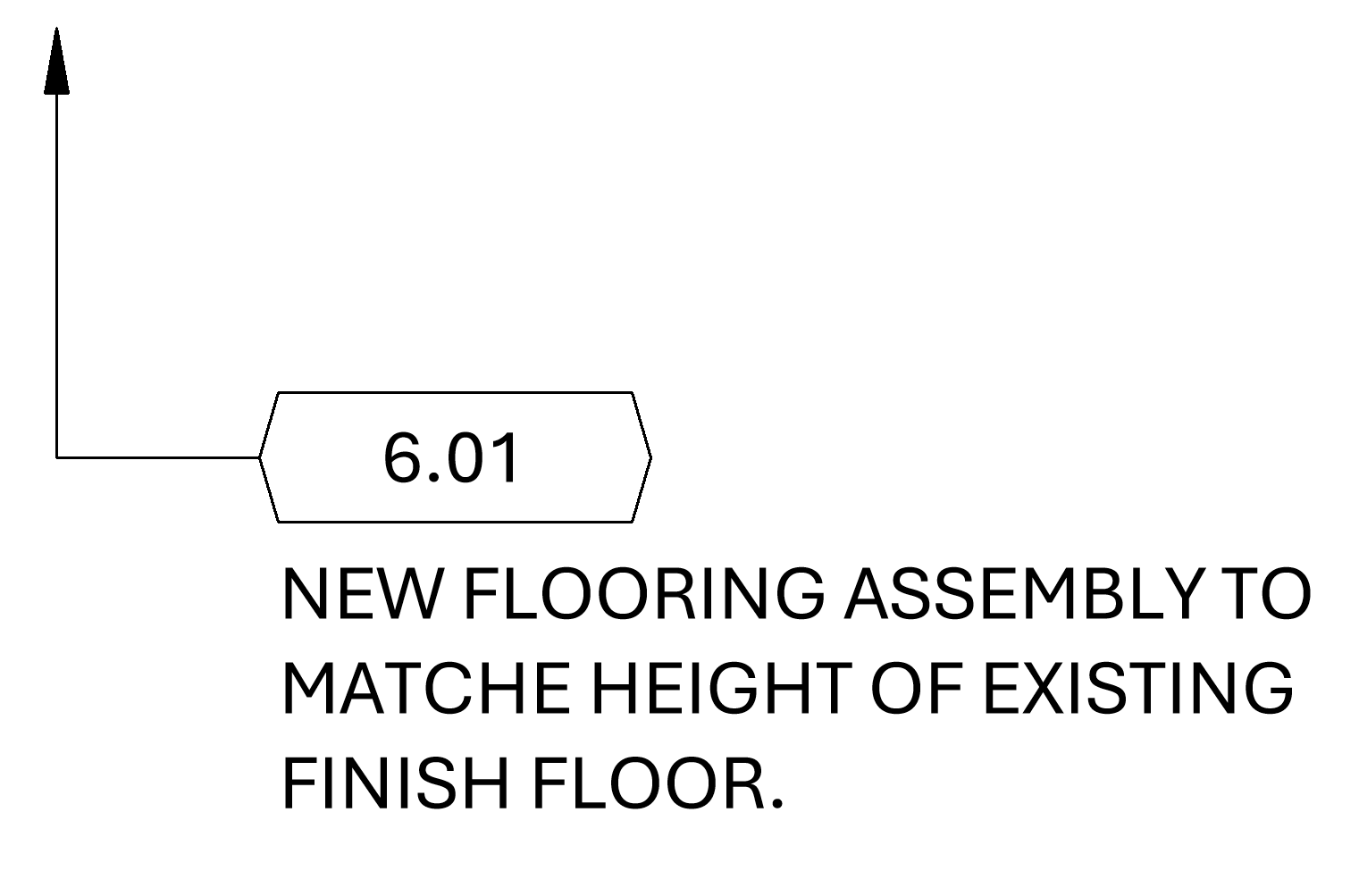
All templates come with keynote, material keynote and custom keyed note tags which allows for the use of standard keynote files or simpler Keyed Notes using a custom note family and note block schedules. Use for quick numbered/lettered notes without the hassle of setting up an entire keynote file.
Useful Start Page
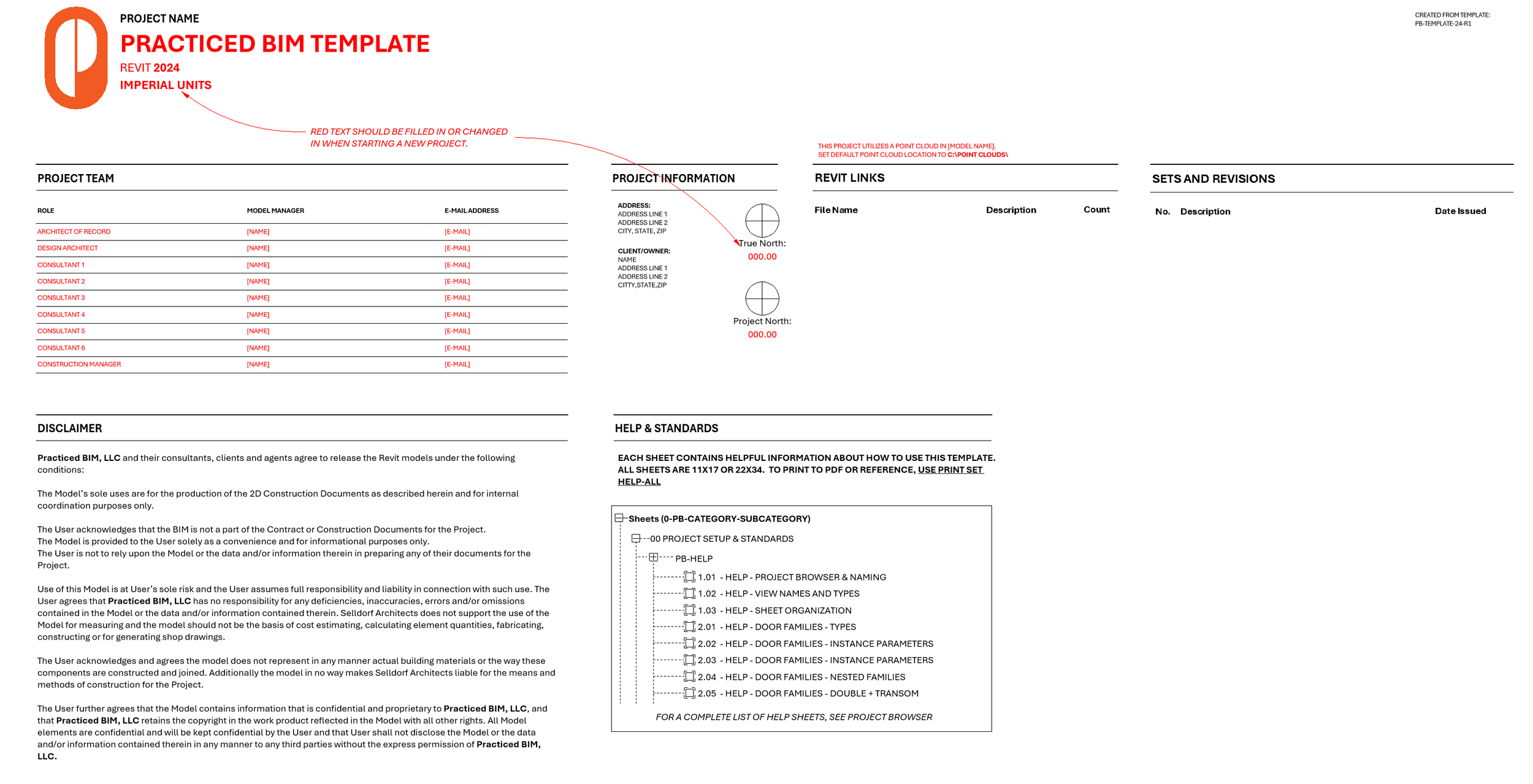
Starting pages/views are probably the least utilized project feature despite BIM Managers best efforts. They’re usually filled with out of date information or rely on an add-in for updates. Our start page just tries to do less. It just covers the basics and uses schedules (yes schedules) to automatically produce a list of links and revisions/issues.
Get Help In The Template
Nobody wants to go searching for the PDF that came with their template or find the printout from two years ago that is already out of date. That’s why the Template includes a number of help and support documents right in the project. They all use native Revit elements so there aren’t any embedded images or PDF links to get lost and slow down the project.
If you still have questions…
We'll review your message and get back to you within 48 hours.